Individual Project

Local Lend

Duration
8 weeks
Type
Mobile First App Project
Team
Myself, Research Participants (friends & family)
role
UX Designer, UI Designer, Research
THE WHAT?
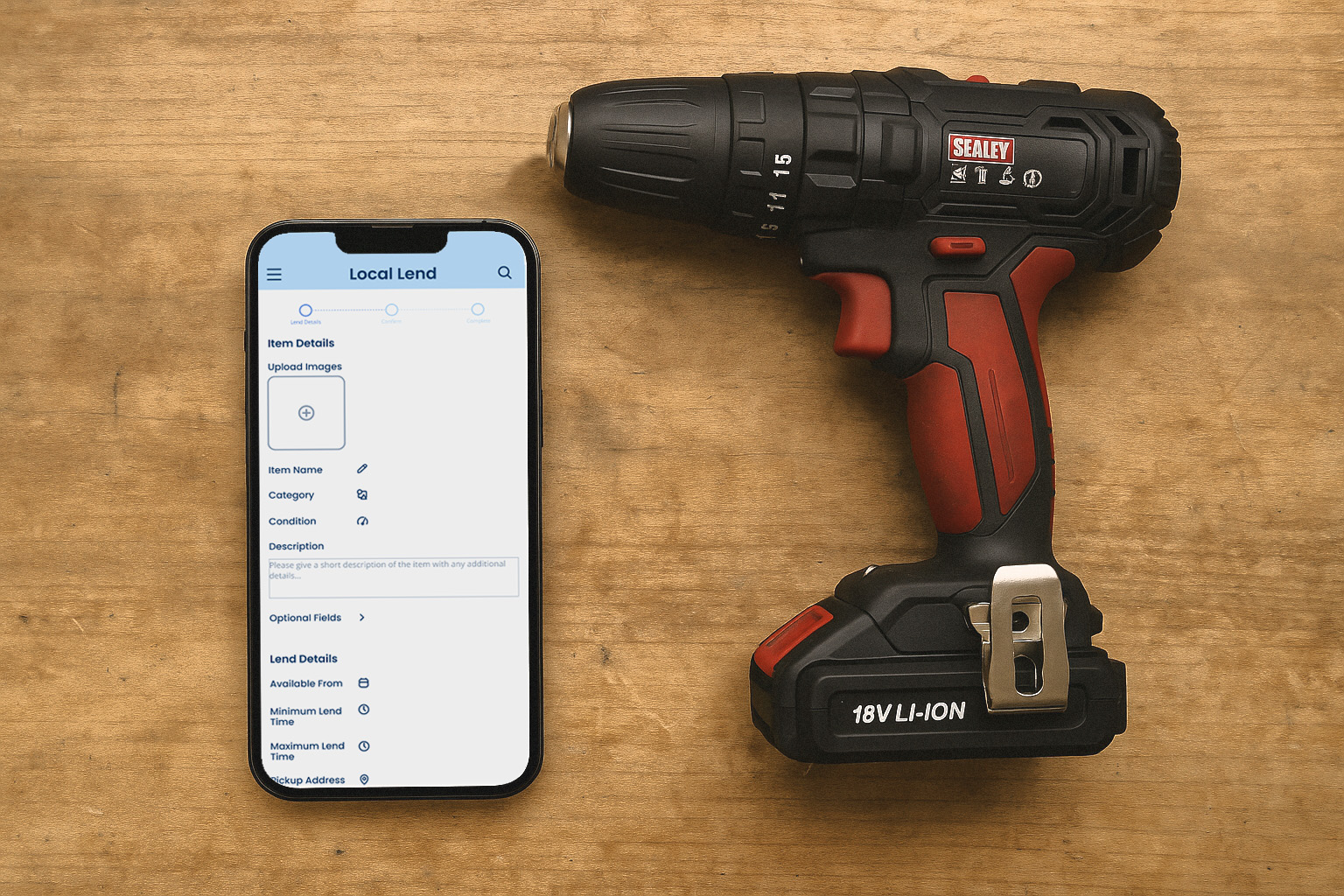
A local item-sharing app that connects neighbours who want to borrow and lend everyday items. I designed the discovery, request, and lending features to create a simple community marketplace.
THE WHy?
Many people buy single-use items, creating waste and clutter, while others want to borrow but don't know how to connect with neighbours. I identified an opportunity to design a platform that makes local sharing accessible and builds community connections.
THE how?
I designed Local Lend to solve trust and discovery barriers through clear item listings, location-based browsing, and streamlined request flows that make community sharing accessible.
Empathise

Understanding the user

Foundational Research
I conducted user research with 9 participants  to identify barriers preventing community item sharing, uncovering key trust and accessibility issues that informed my design strategy for making local borrowing more practical and reliable.
Target User Research
Research revealed users want to borrow but struggle with trust concerns and discovering what's available locally. These insights led me to prioritise condition ratings, intuitive browsing, and clear availability features to build community confidence.
Pain Points
  • Item Discovery - Users struggle to find available items nearby, especially for urgent or short-term needs.
  • Trust Barriers - Users hesitate to borrow from strangers due to uncertainty about item condition and reliability.
  • Communication Gaps - Poor coordination around availability and pickup arrangements creates frustration and wasted time.
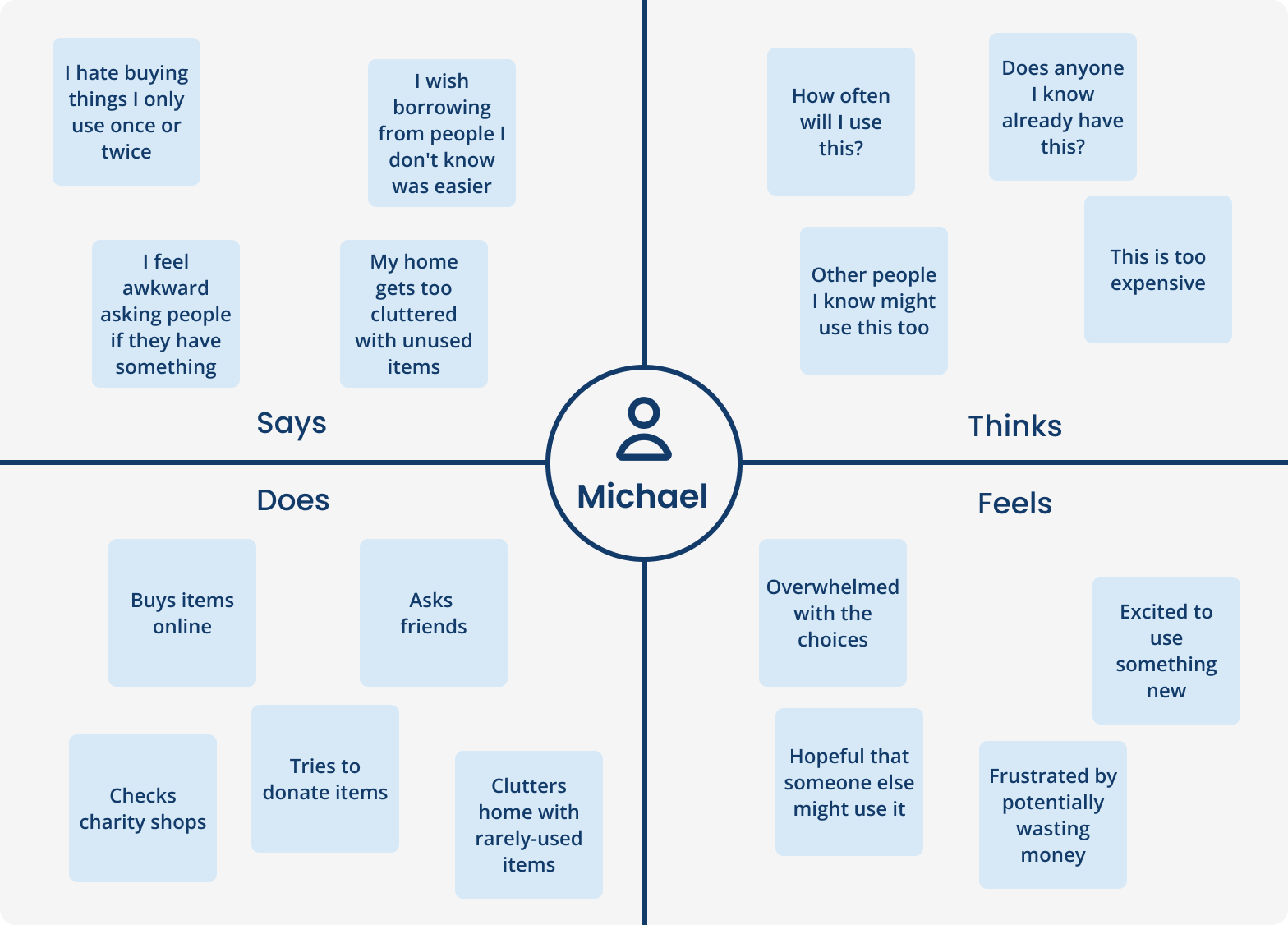
An interview participant gave me further insight into the problems they face
Define

Defining the Core User Problems

User Problem Statement

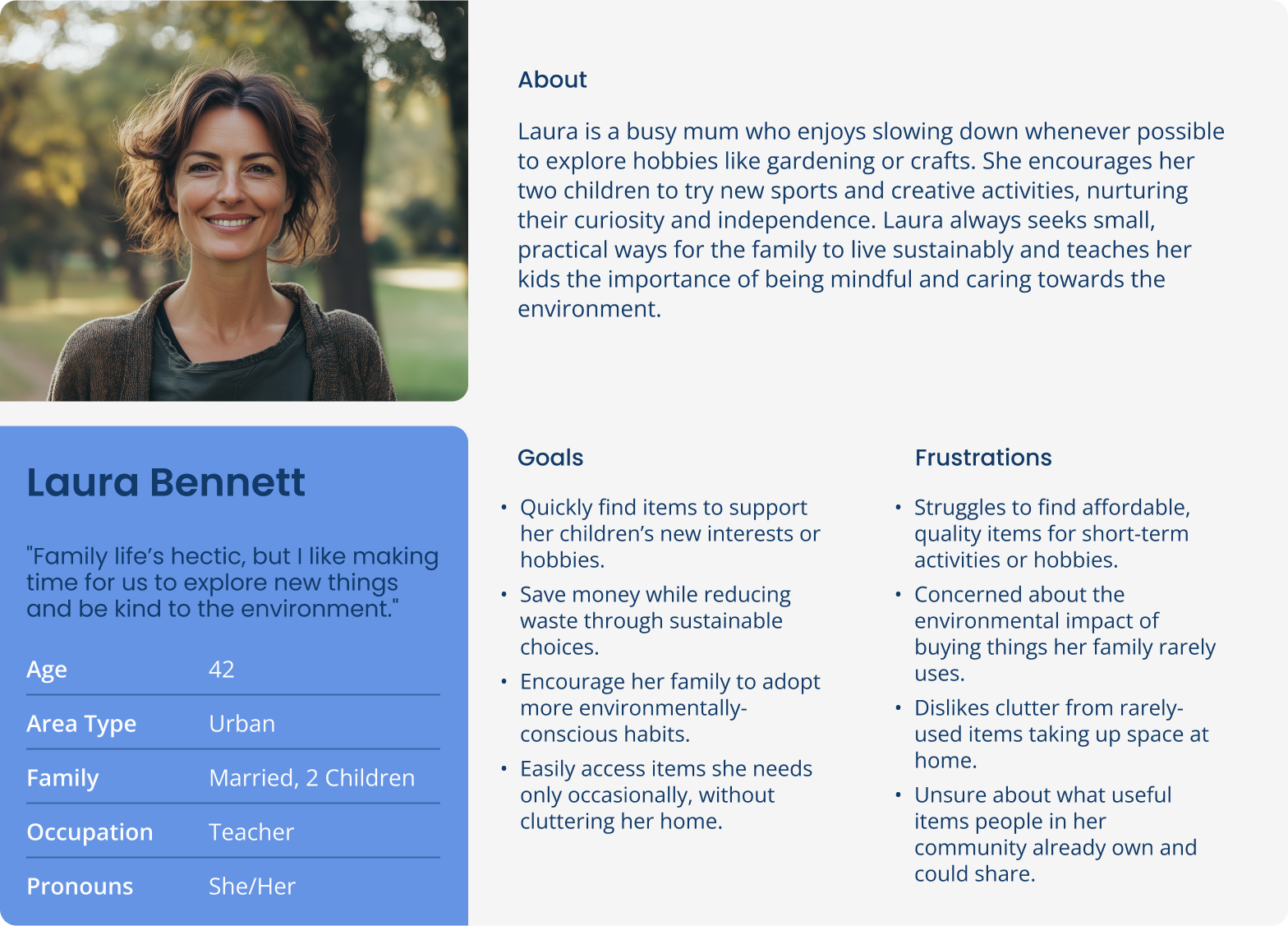
"Laura is a busy, environmentally-conscious mum who needs an easy way to find affordable, short-term items for family activities, because buying new items is wasteful, expensive, and creates unnecessary clutter."

Problems to Solve

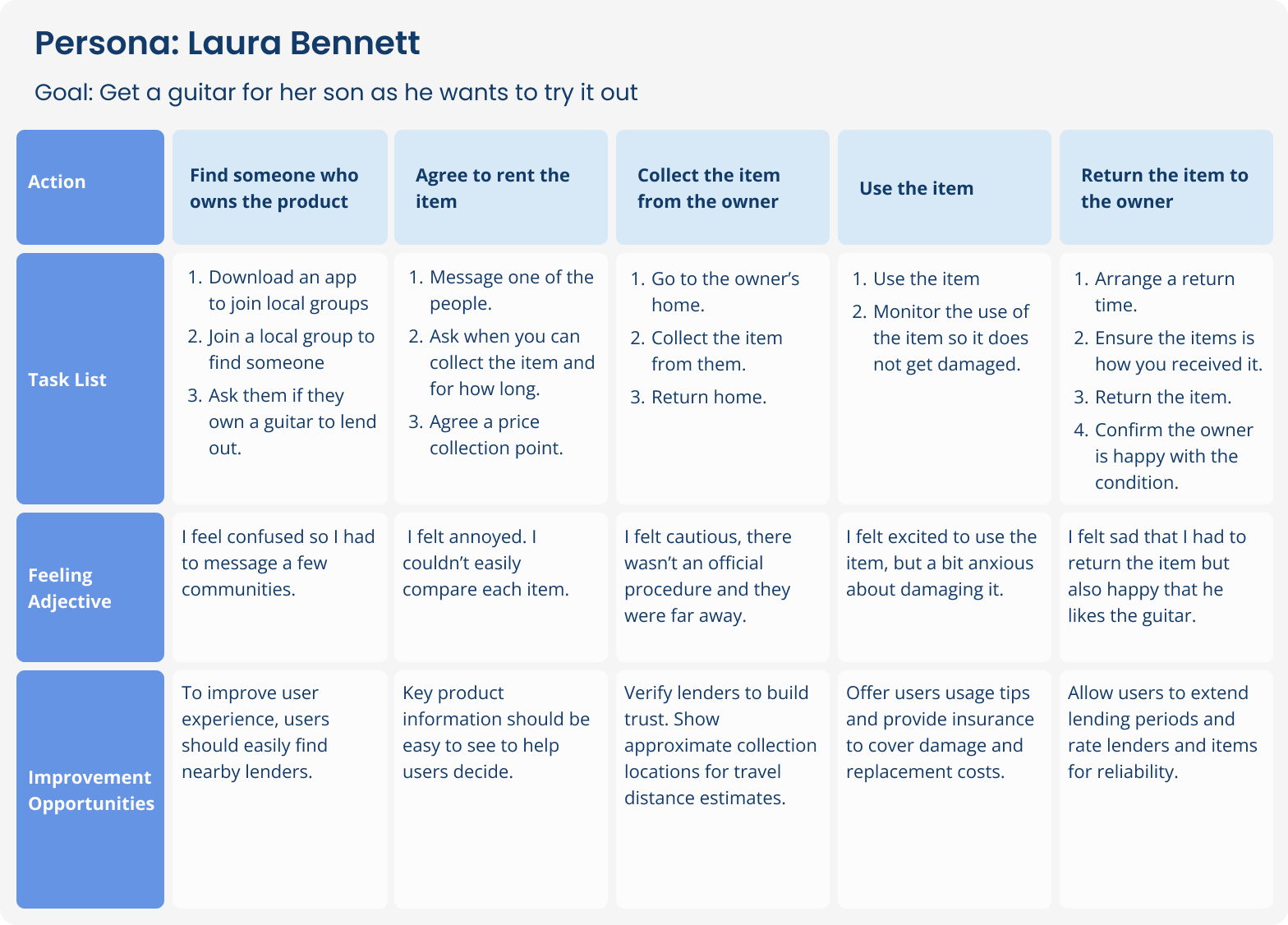
User Journey Map

Item Discovery
Help users easily discover available community items for quick, affordable access.
Reduce Waste
Provide an alternative to buying new items, encouraging sustainable sharing behaviour.
Cost-Effective Access
Enable budget-friendly exploration of new activities without purchasing commitments.
Ideate

The Design Process

Early Exploration

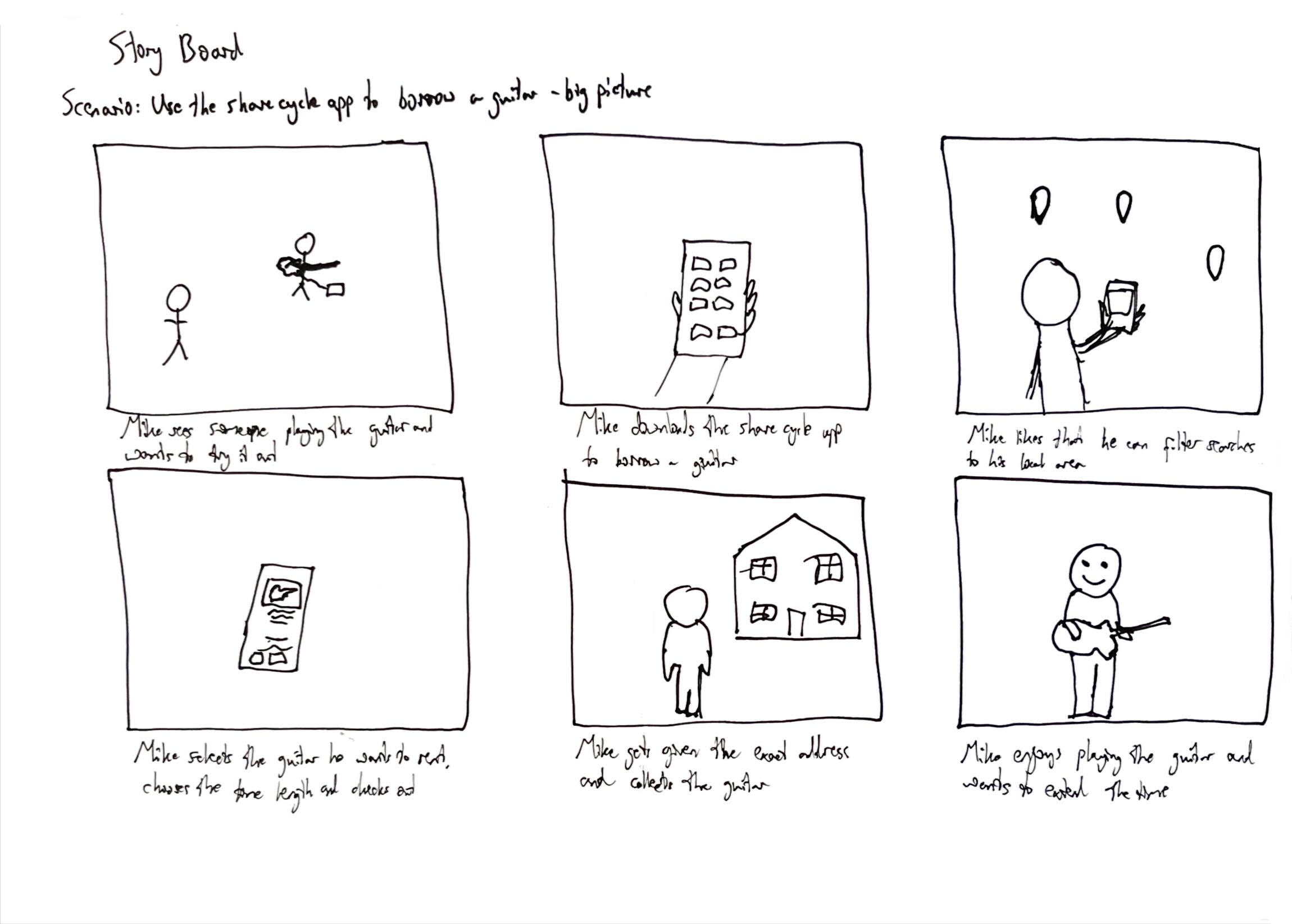
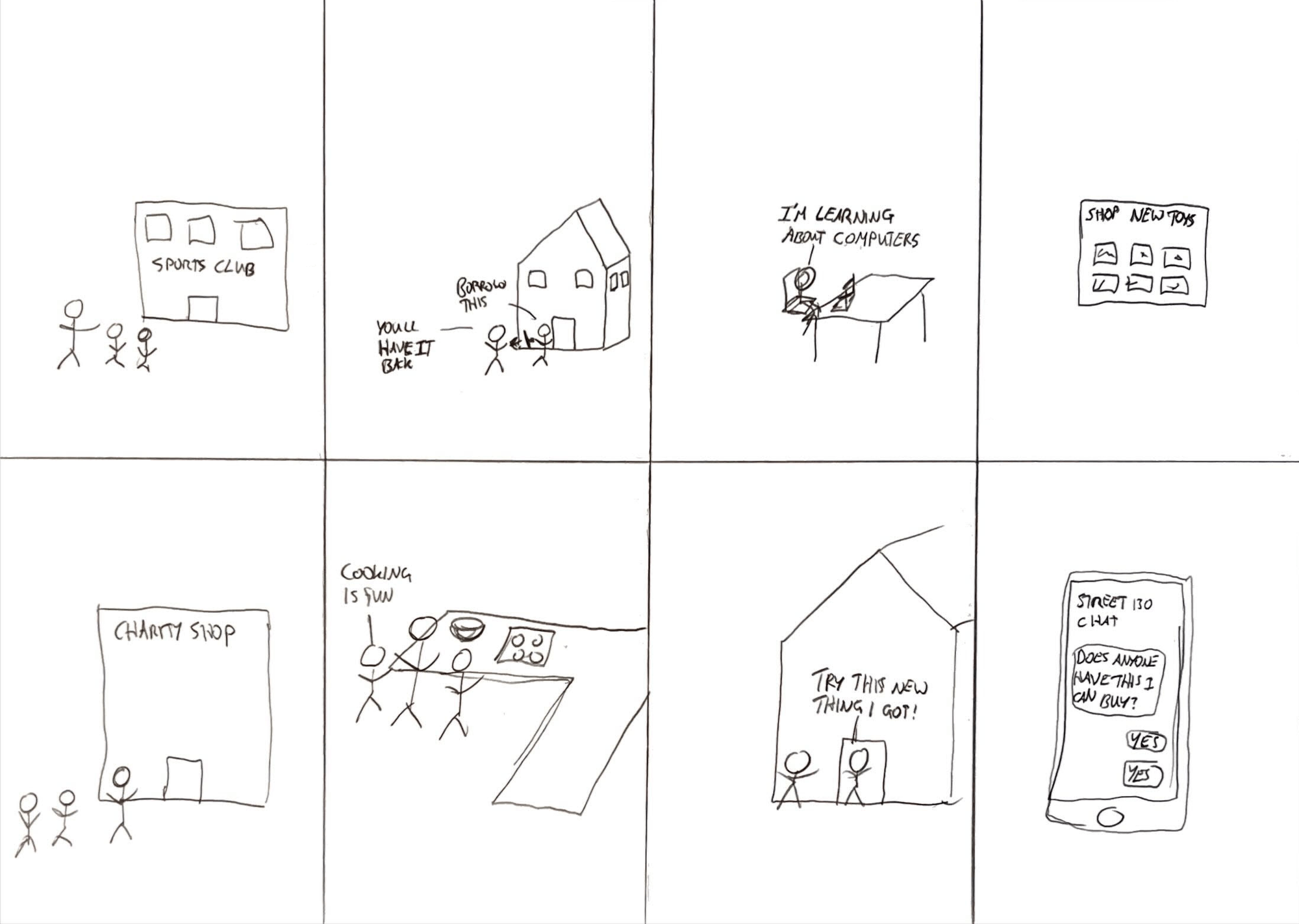
I mapped how the user experience could work to borrow an item through storyboarding, then generated diverse solution concepts using rapid Crazy 8s ideation to explore current solutions and how these could influence my design.

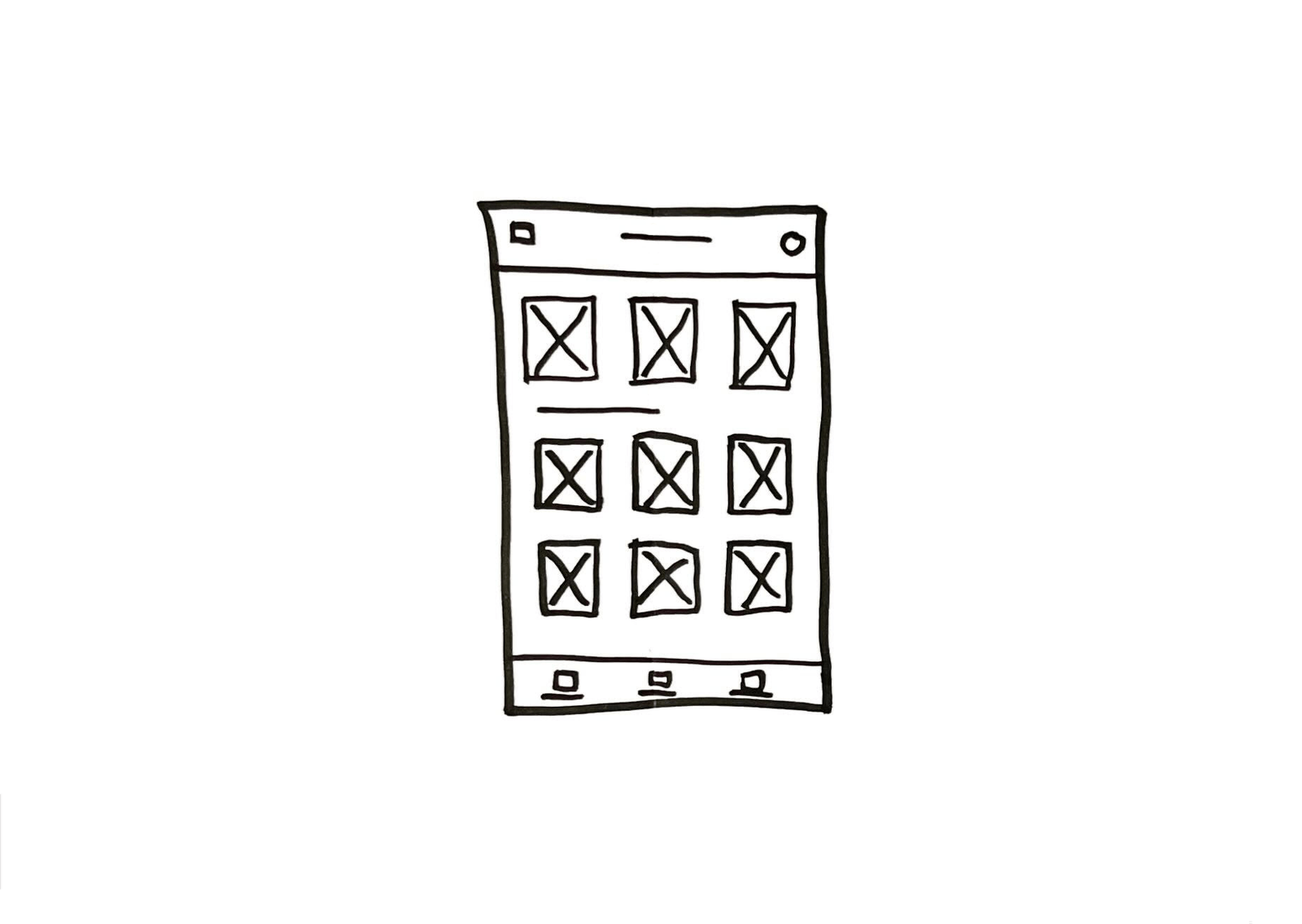
Initial Wireframes

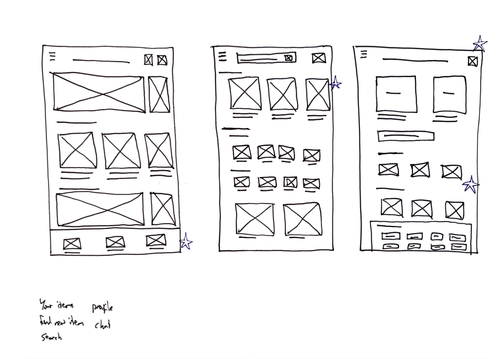
I created wireframes to establish the core information architecture and user flow, focusing on the key elements and flow to focus on before moving to visual design.

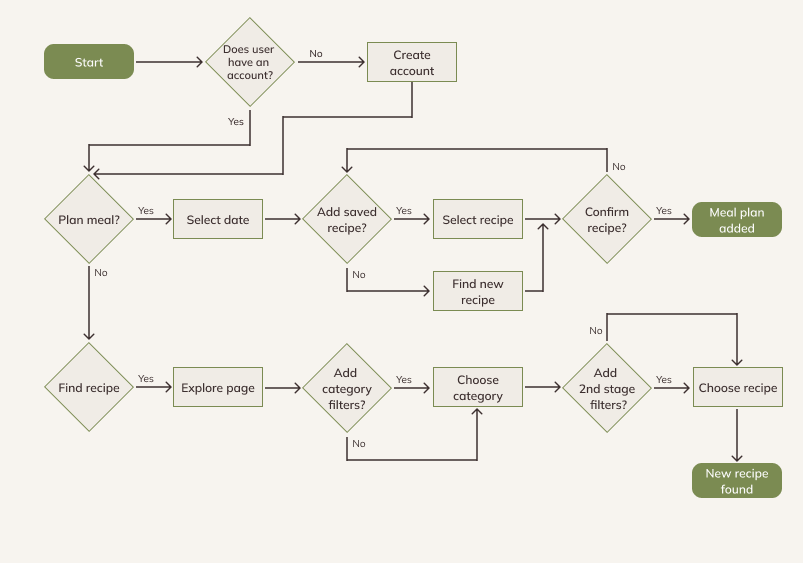
User Flow

I mapped the primary user journeys for a user to borrow or lend and item, identifying decision points and potential friction areas to ensure smooth flows for the key features.

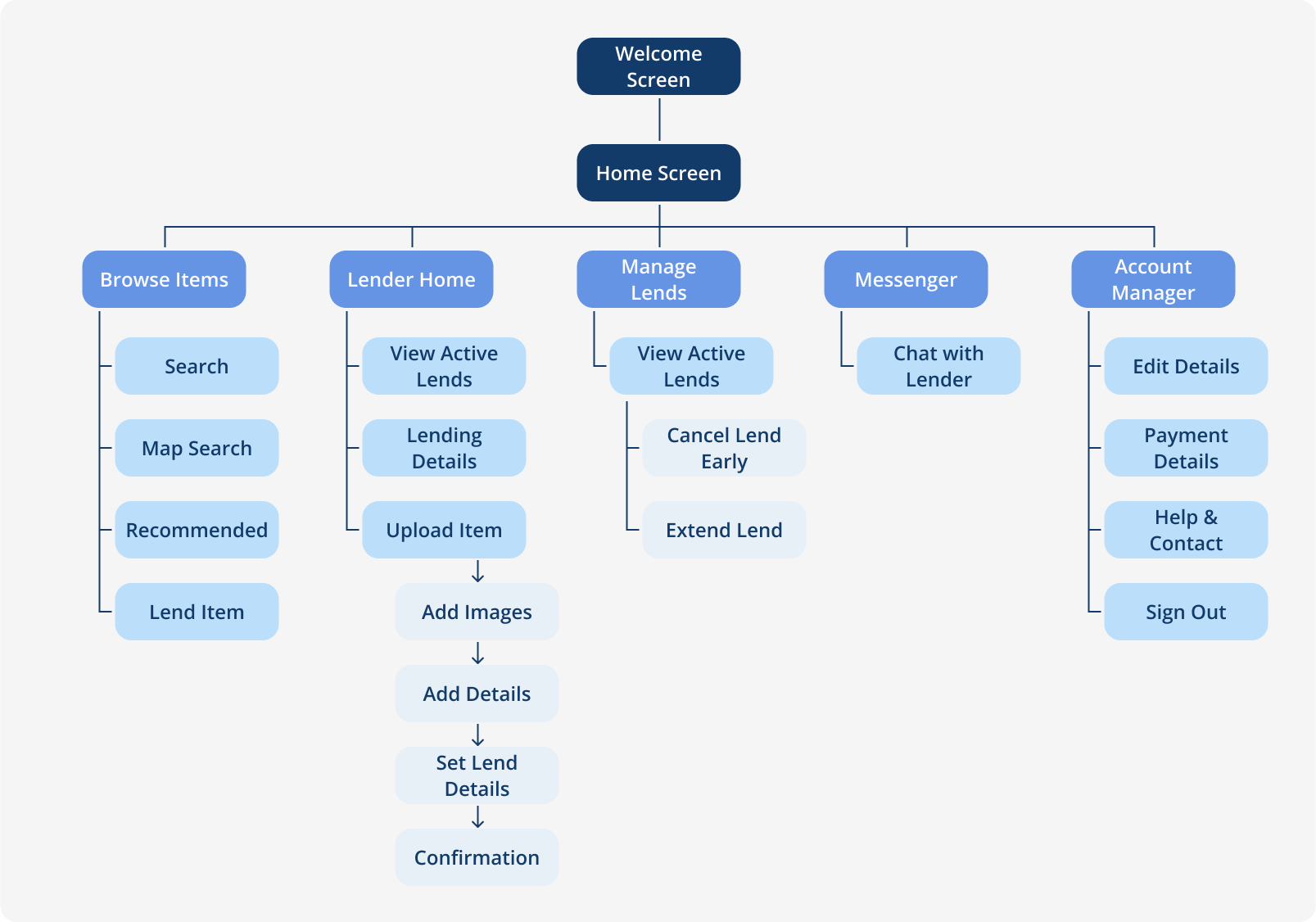
Information Architecture

The development led me to structure the app's content hierarchy to support the main user goals: browsing items, lending items, managing items and messaging people, ensuring logical layout for each section of the app.
Lo-Fi Design

Initial Prototype & Feedback

Usability Testing

I conducted a monitored usability study with 3 participants to assess the lo-fi design and identify opportunities to improve the user experience
Navigation Bar
Users found the bottom navigation confusing and unnecessary during testing.
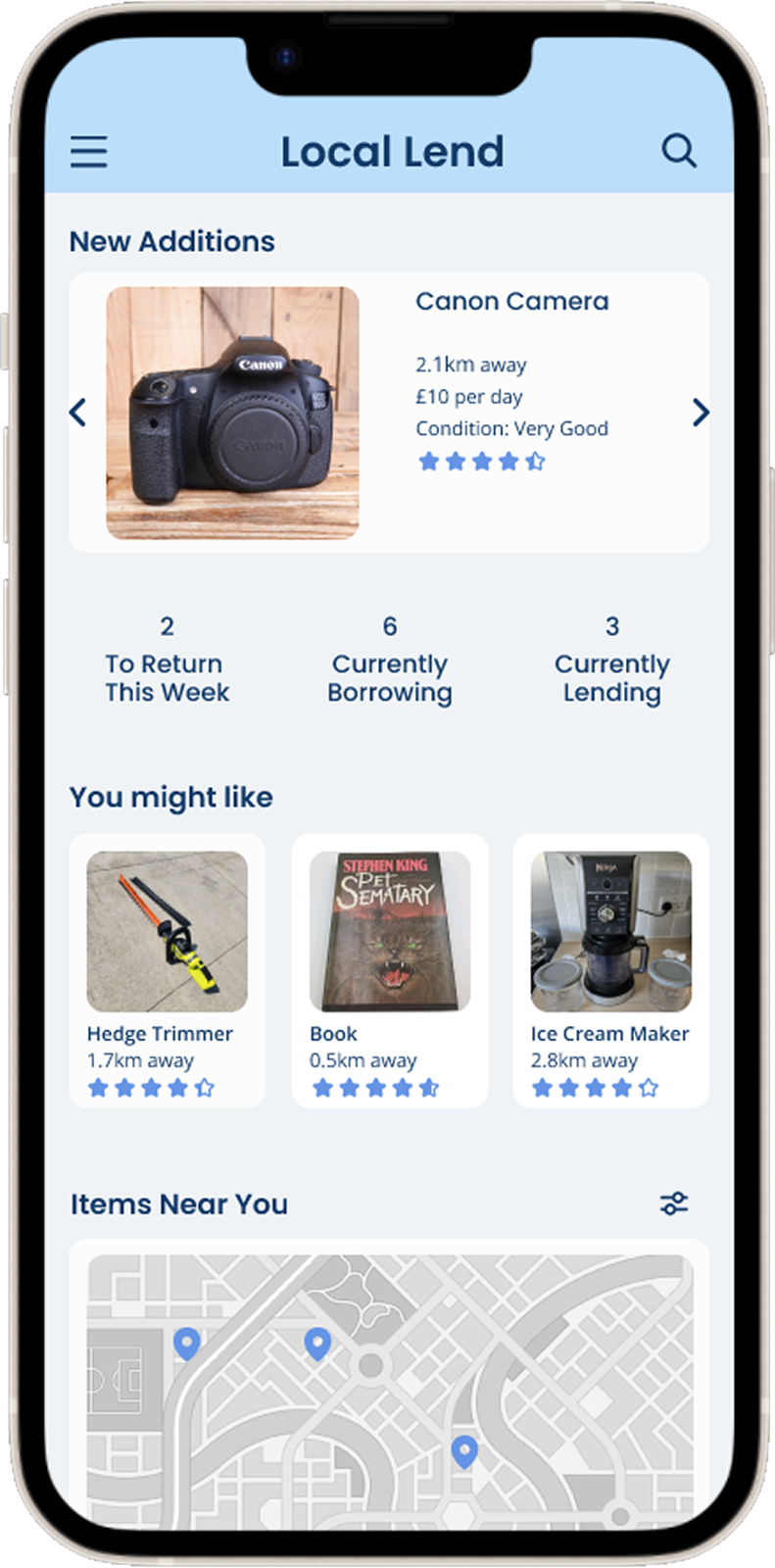
Home Screen
Users appreciated key metrics and map exploration but were confused by featuring a lent item as the main card.
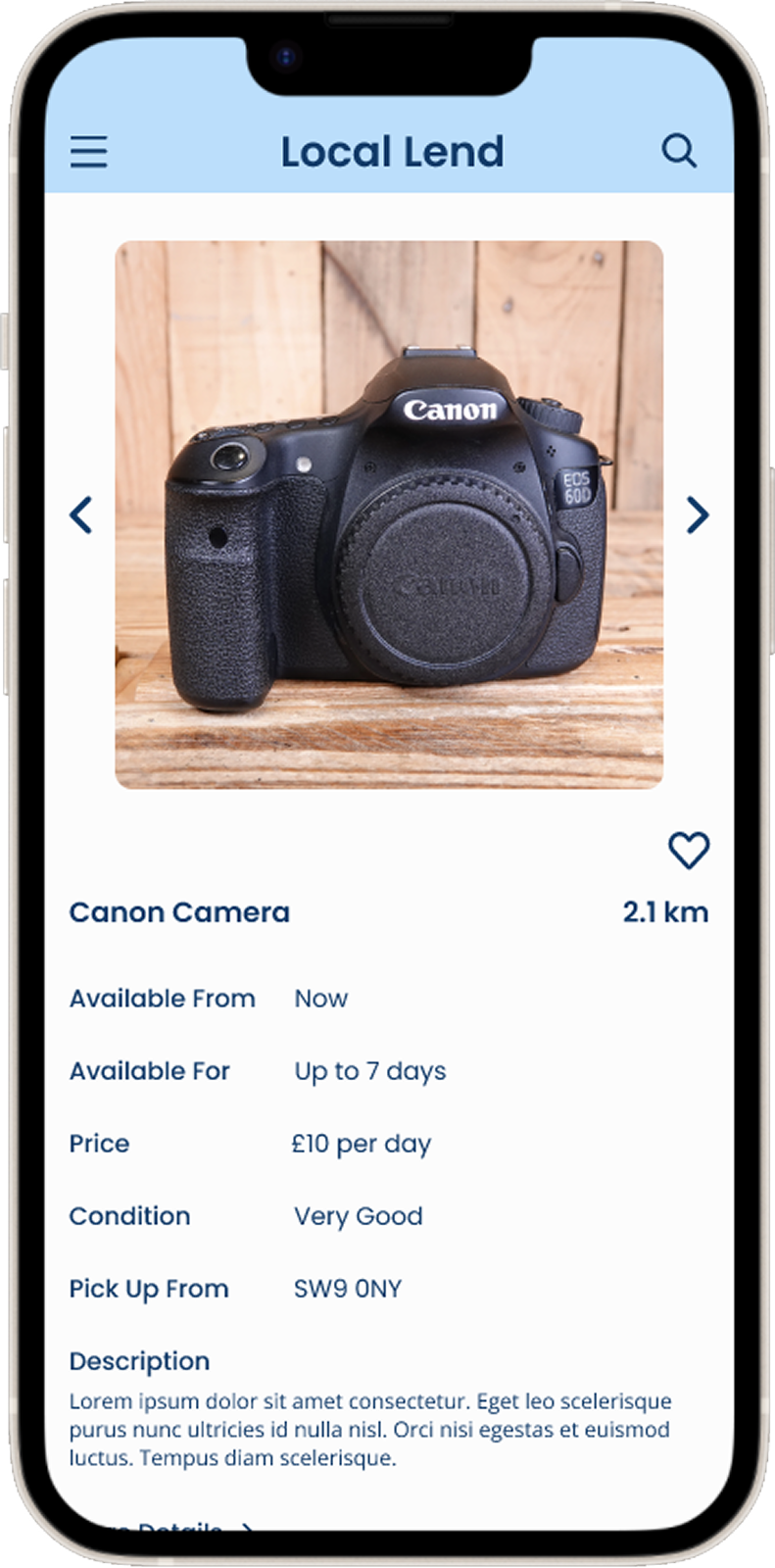
Lend Information
Users valued clear browsing information, though opinions varied on the amount of detail required for item listings.

Lo-Fi to Hi-FI

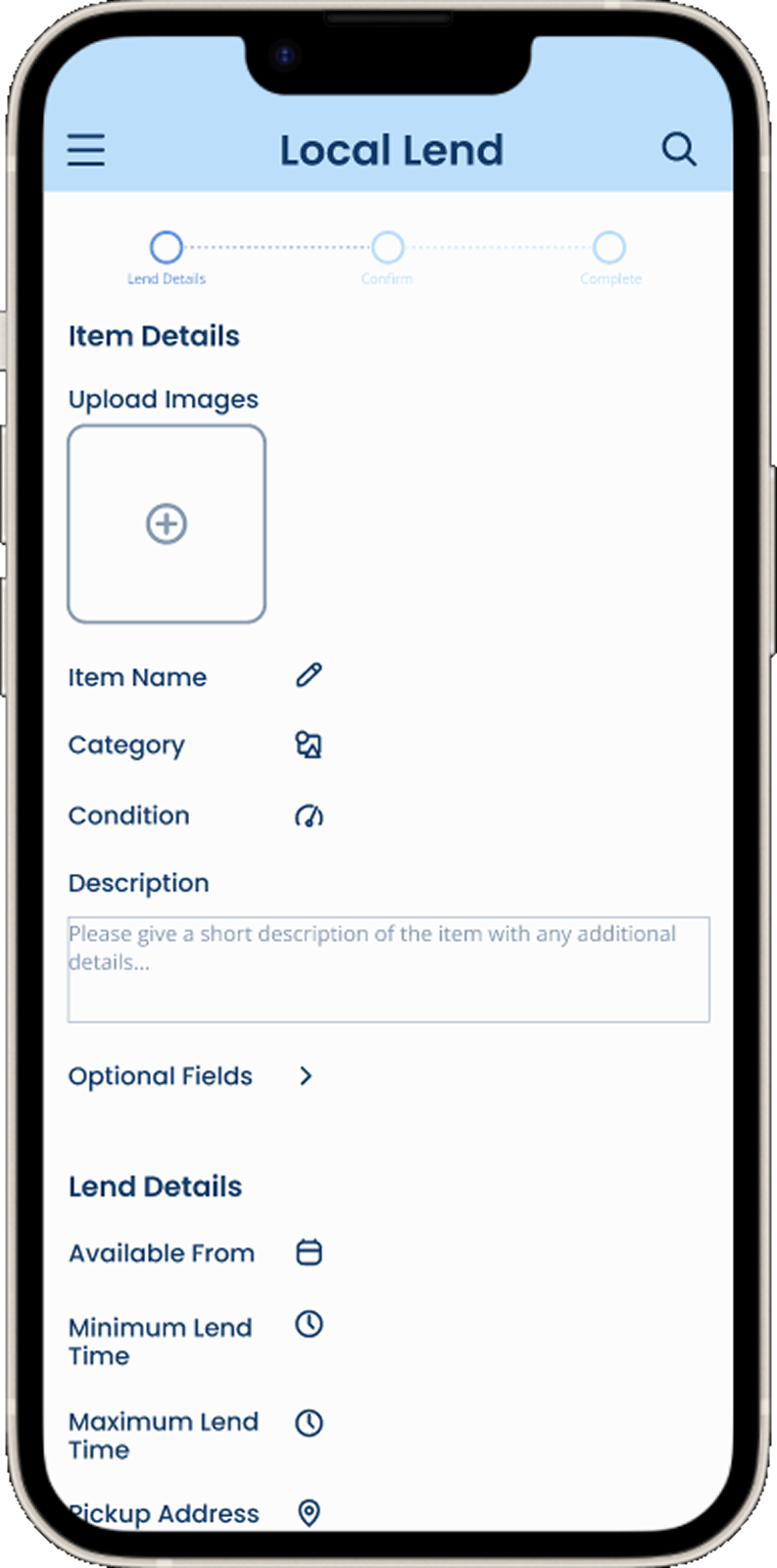
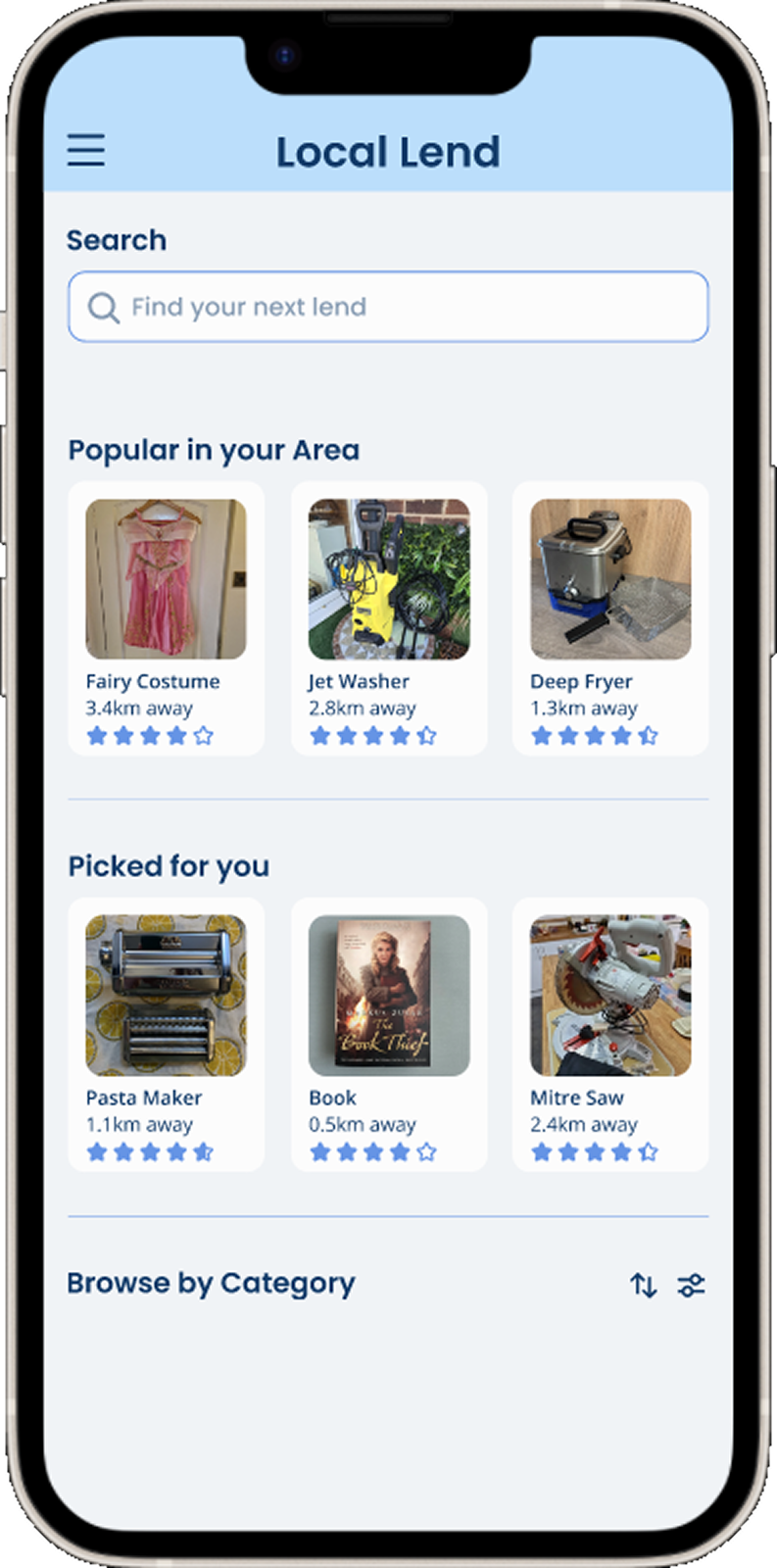
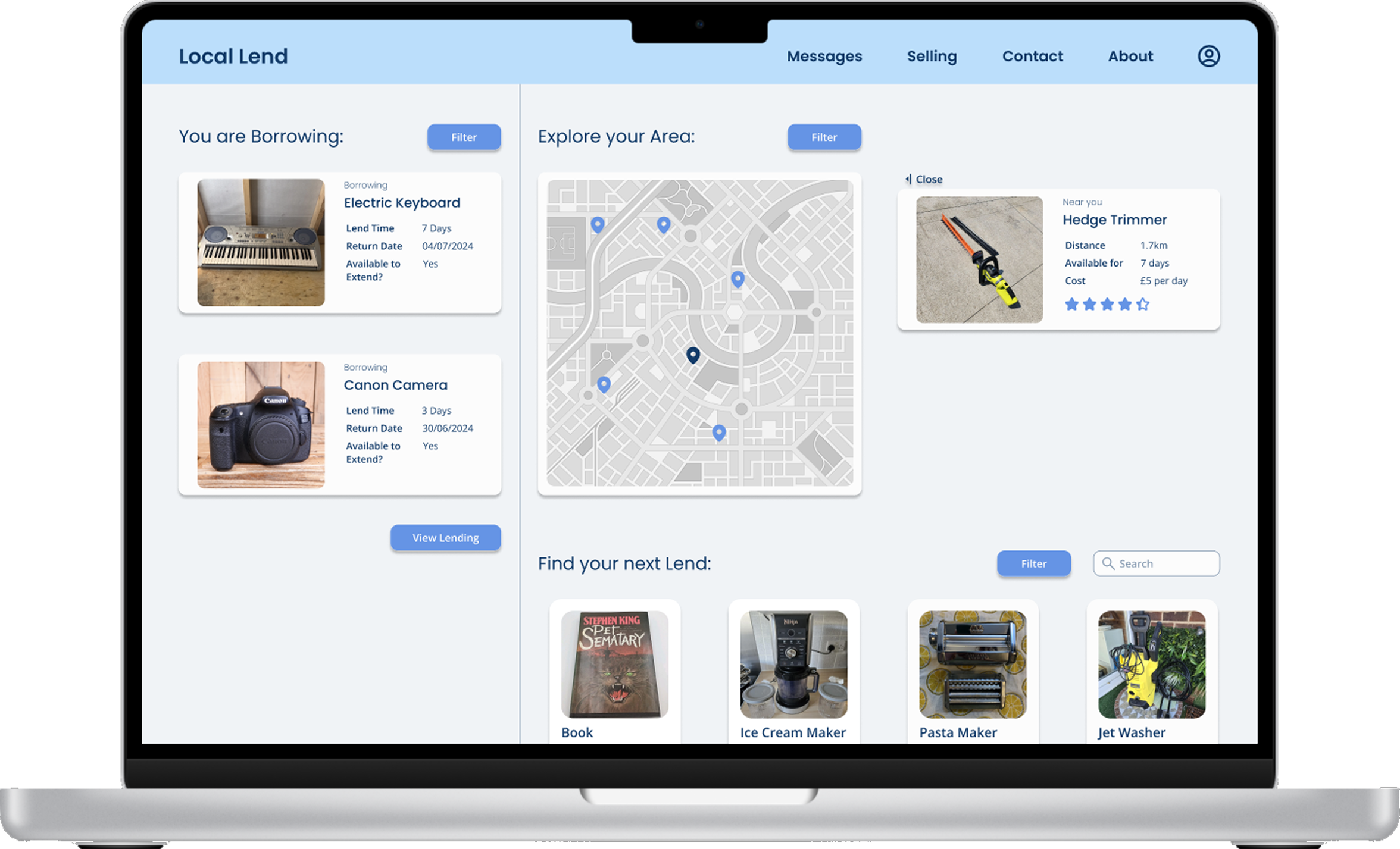
Following the usability tests I iterated my design to create a hi-fi mockup the addressed the feedback to create a better user experience. Swipe to see the difference!

Homepage

Borrow

List a Lend

Explore

Hi-Fi Design

Final Prototype

View Prototype in Figma

AI Usability Test

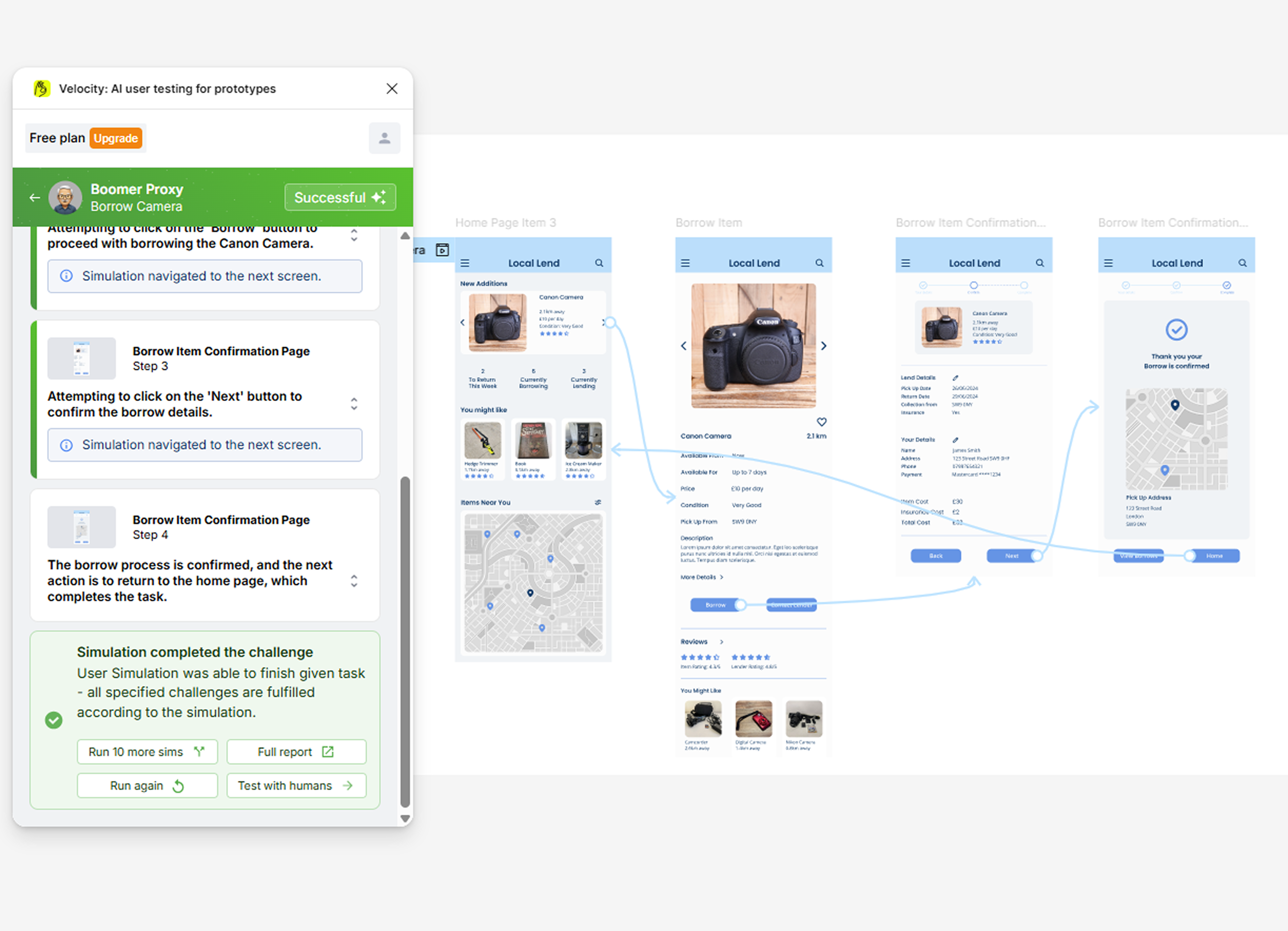
I explored AI-powered user research using Velocity, a Figma plugin that simulates user interactions with prototypes. This marked my first experience integrating AI tools into UX design workflows.
Whilst the simulation confirmed successful user paths through the borrowing flow, I recognised that multiple AI simulations should complement, not replace, traditional human-centred research methods.
This exploration sparked my continued interest in AI applications within design research.

Heuristic Markup

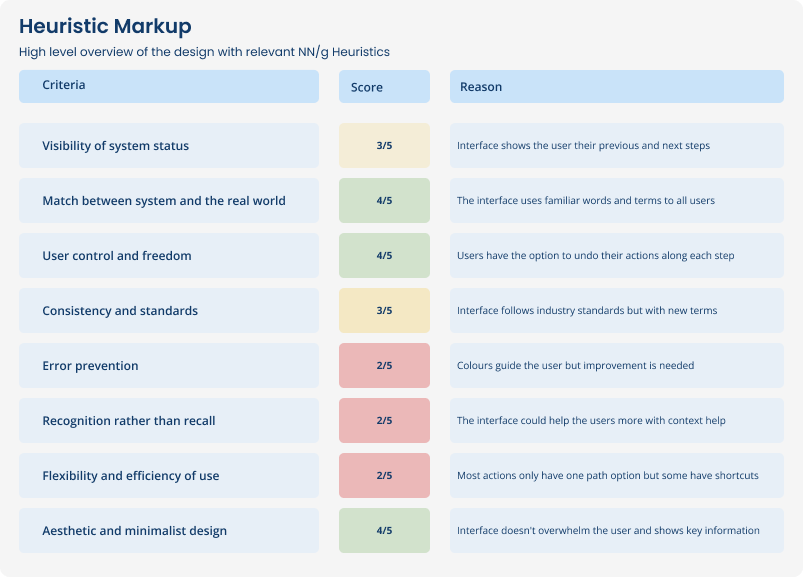
I conducted a Heuristic Markup using NN/g heuristics to identify parts of the design that fit standards within designs, to ensure easy usability for users.
Following this I would have focused on the lowest scoring parts to identify areas of improvement within the design to improve the overall user experience.
Reflection

Final thoughts & Looking Forward

Project Overview

This was my first UX design project, building on existing design skills while learning user-centered design principles. A key strength was my focus on real user problems around local borrowing, which helped me identify practical solutions before moving to high-fidelity designs.
One main challenge was designing intuitive item discovery. I created clear item listings and location-based browsing where users can easily find available items, then request them once they understand what interests them. This approach made borrowing feel more accessible and less overwhelming.

Lessons Learnt

Multiple testing rounds prevented design drift - Running usability tests at different project stages helped me stay aligned with user needs and catch issues before the design became too developed as I only had a few weeks to create the design.
Accessibility considerations from day one - Building inclusive design principles from the start proved more effective than adding accessibility features later, creating better experiences for all users.

Future Development

I'm continuing to develop my UX skills through hands-on practice and iterative improvement. This first project gave me a solid foundation in the design process, but I've identified areas where I can push my designs further and create more engaging user experiences.
My next project will focus on a different user type and more complex interactions to challenge my skills in user research and interaction design. I'm particularly interested in exploring advanced prototyping techniques and deeper user testing to create solutions that truly solve user problems.

You might also like...