AI Project

Echo Locate

Duration
1 week
Type
AI Project
Team
Myself & Claude Code (AI Tool)
role
UX researcher, UX designer, AI Engineer
THE WHAT?
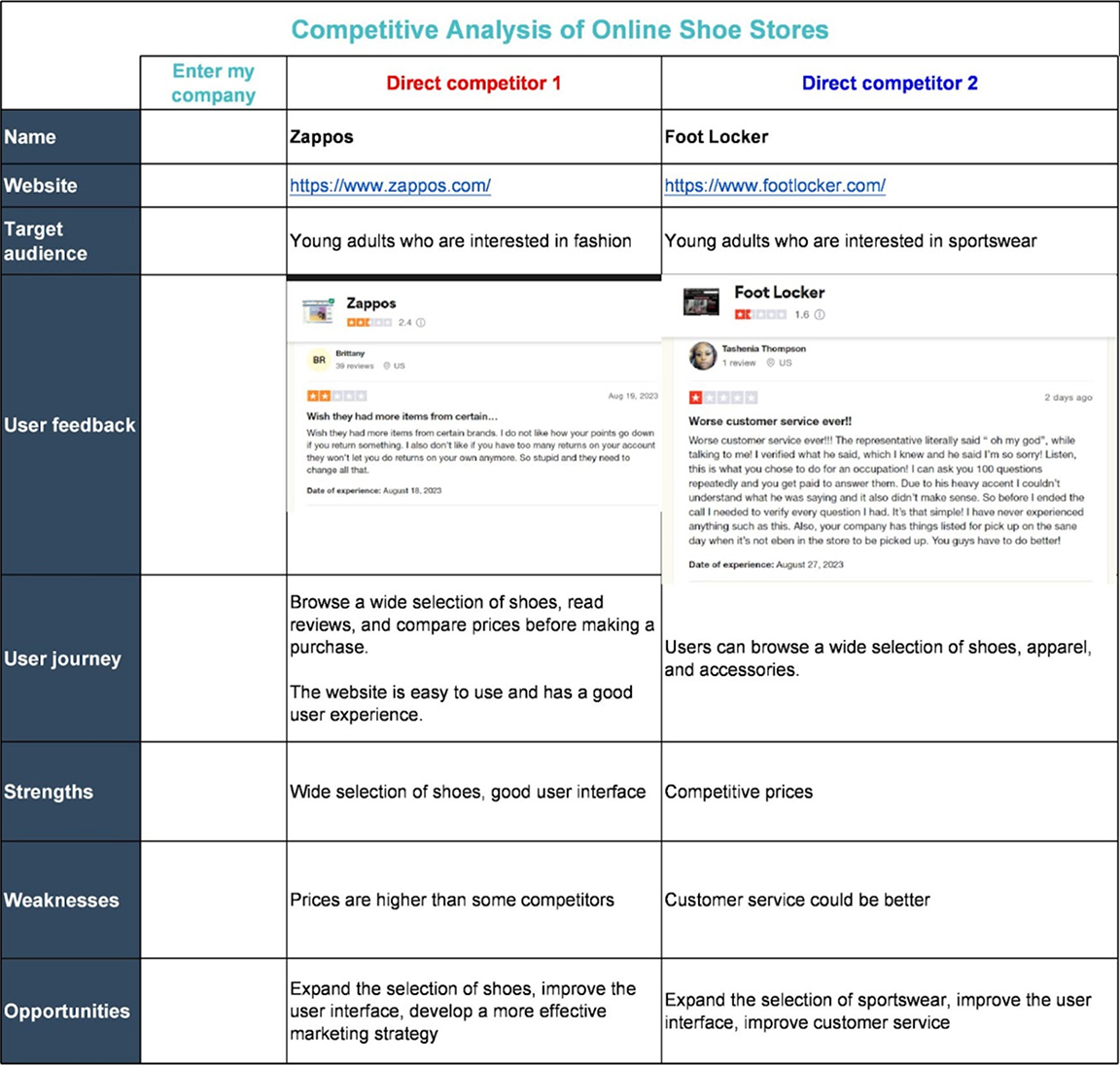
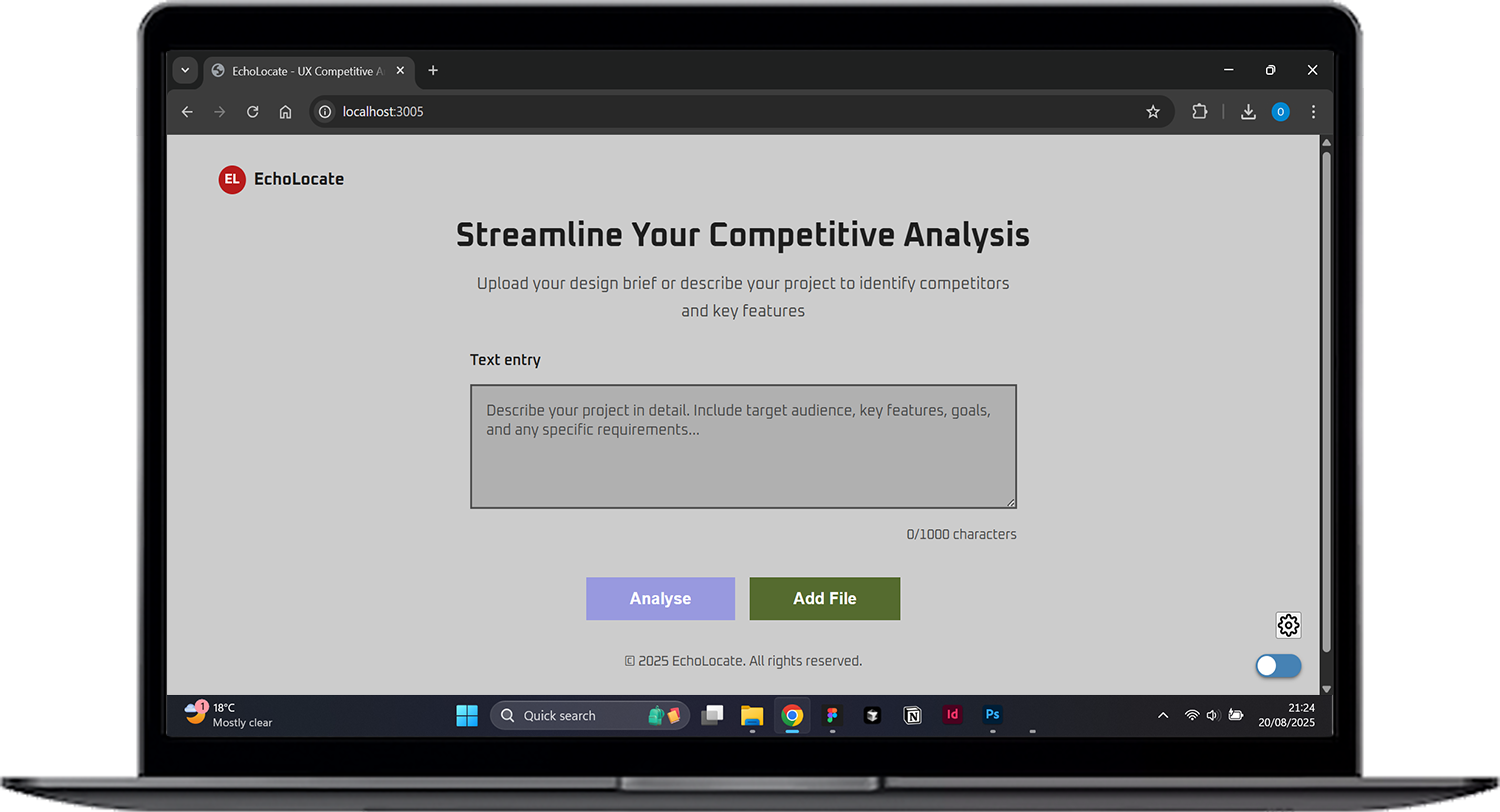
An AI-powered tool that instantly identifies competitors, analyses their features, and provides structured insights from weeks of manual research in minutes.
THE WHy?
UX professionals prioritise competitive analysis, yet it consumes valuable time that could be spent on actual design and user experience improvements.
THE how?
Using AI tools I created a prototype for a tool that will make the competitive analysis exploration more efficient for designers, showing by example how this framework would work.
Intro

My Journey into AI Tools

AI Potential
Using Figma's Velocity plugin opened my eyes to AI's potential in UX. I realised competitive analysis, typically weeks of manual work, could be transformed by intelligent automation.
The Project
This project explores how AI can accelerate research while maintaining quality, freeing designers to focus on creative problem-solving.
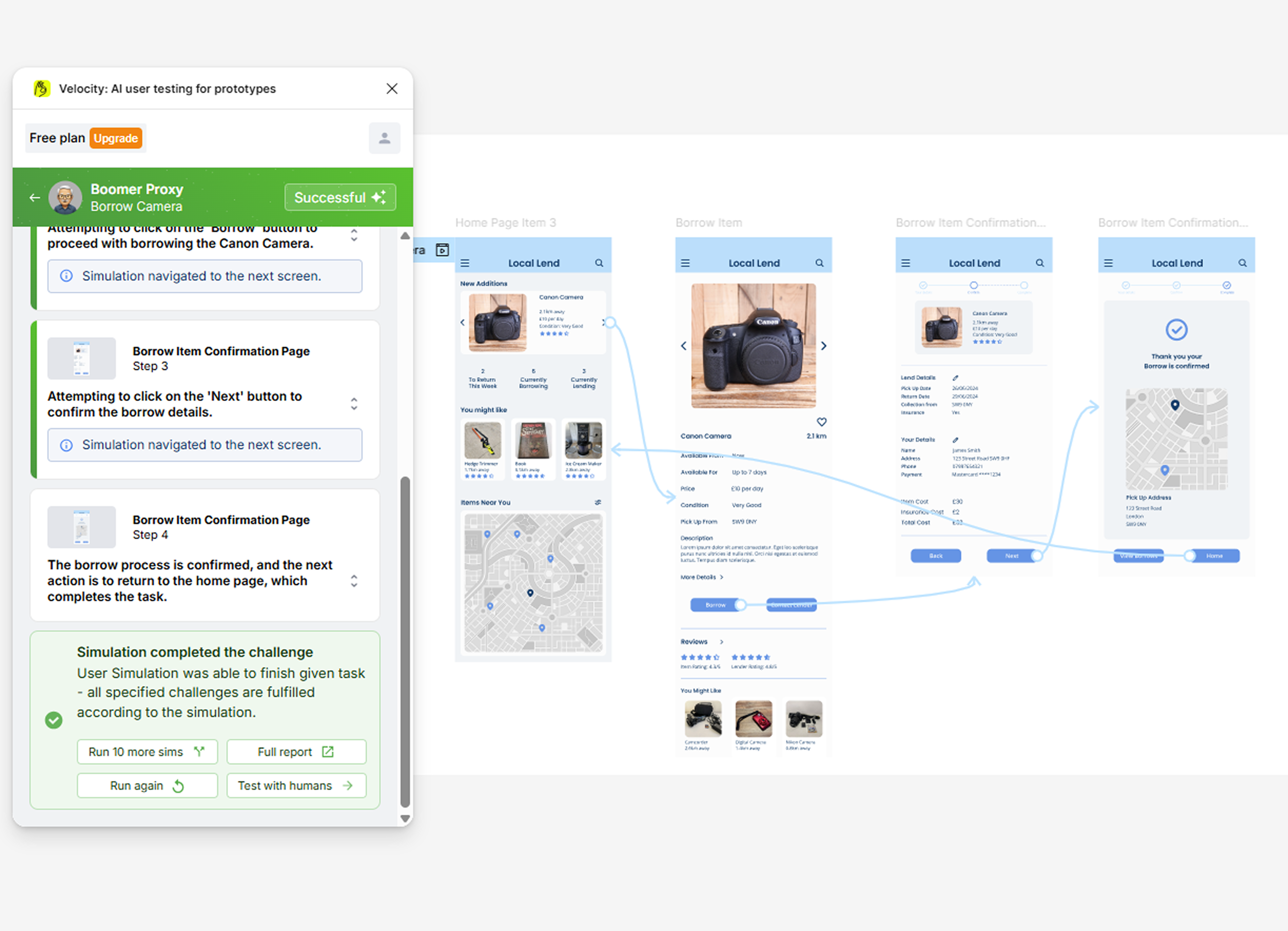
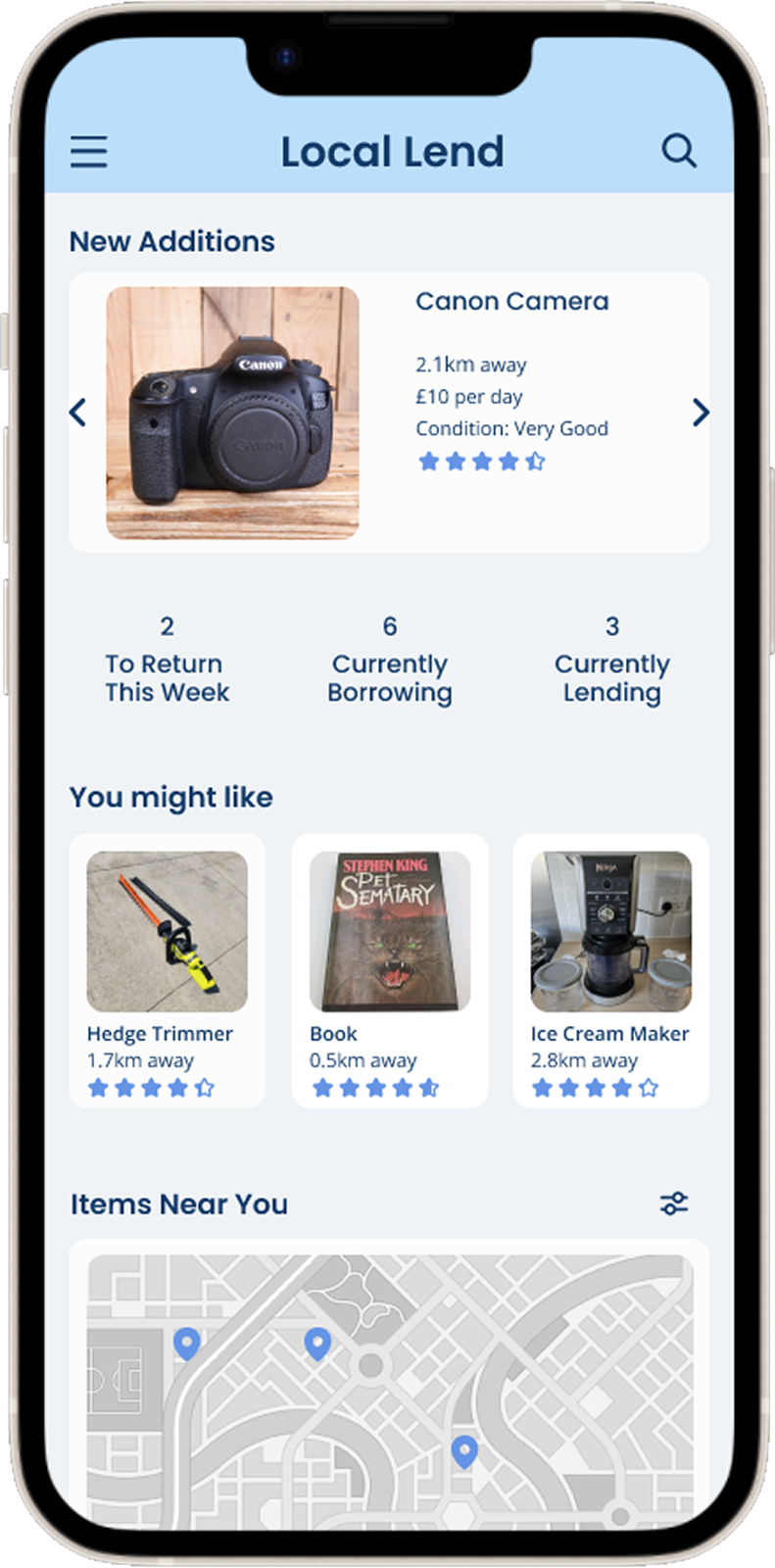
Velocity analysis for my previous project, Local Lend showing how AI can be used to test prototypes

A New Way of Working

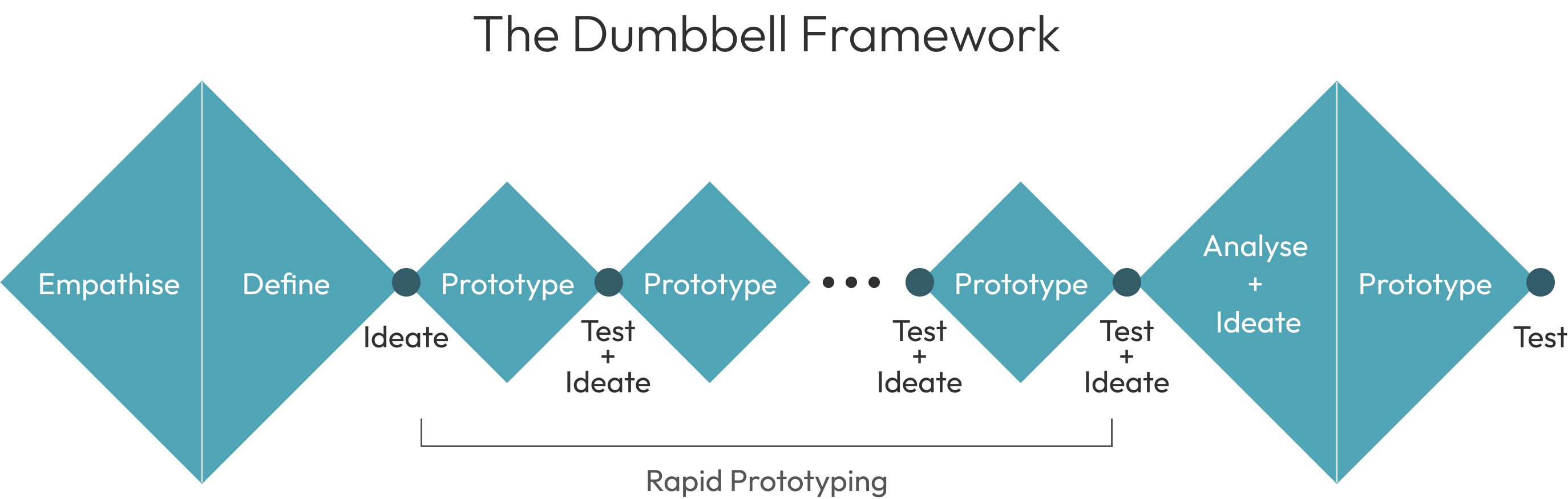
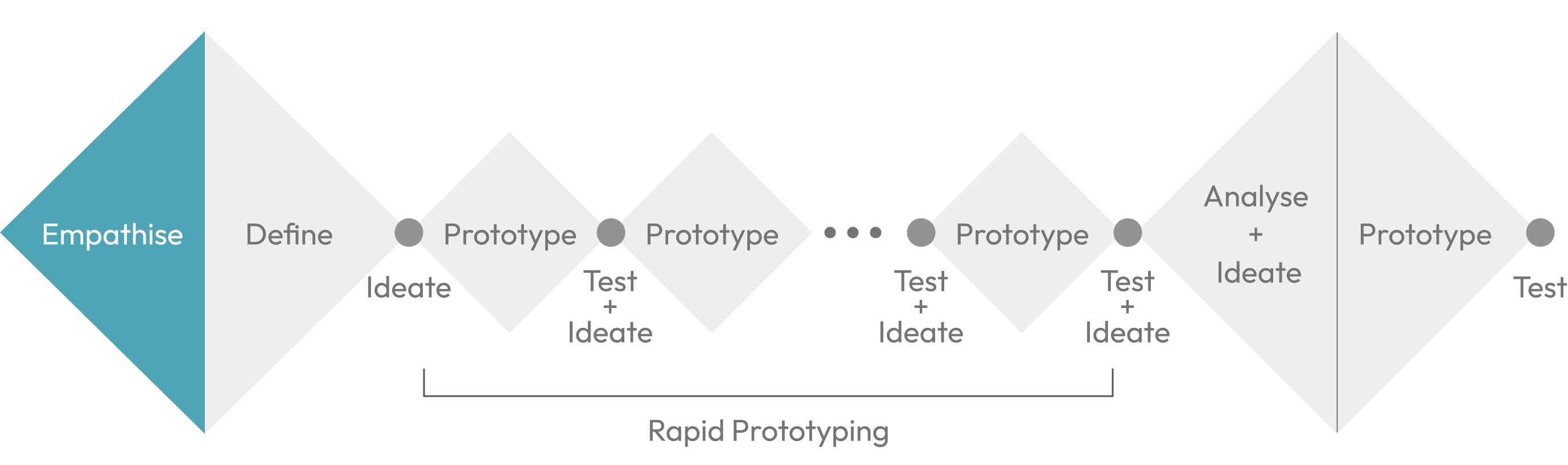
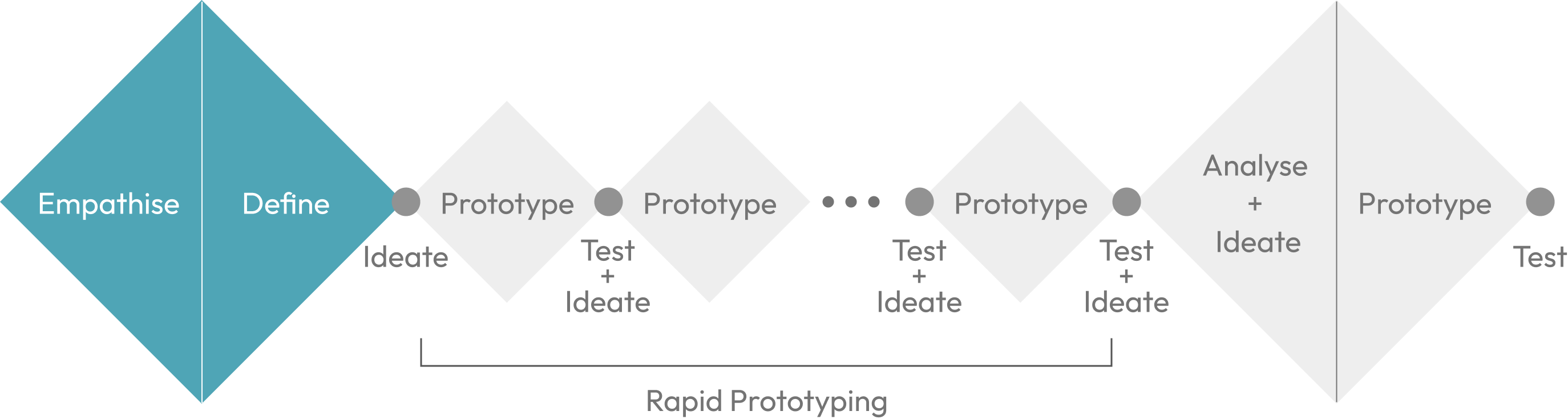
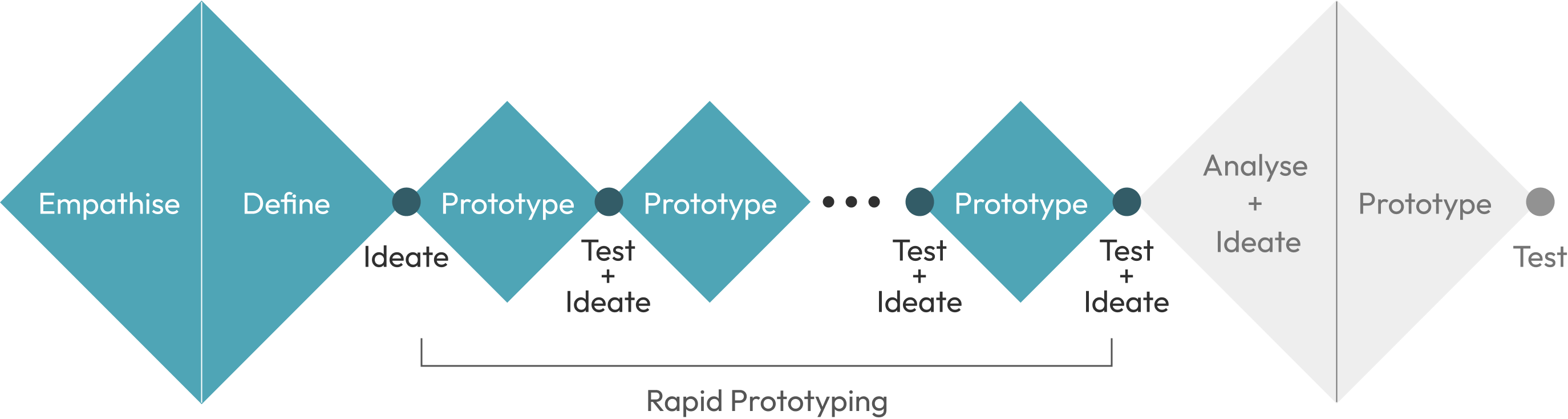
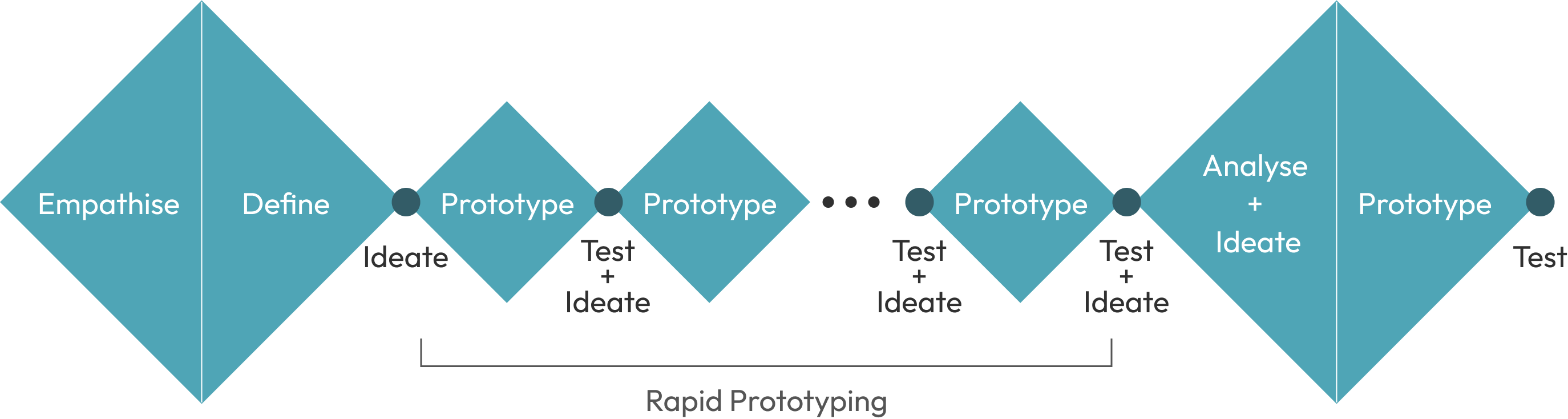
Building on the Double Diamond, this framework leverages AI's rapid prototyping power. Instead of lengthy development cycles, designers can now iterate instantly, testing ideas, gathering feedback, and implementing changes in real-time. The approach frontloads research and backloads analysis, maximising time in the creative zone where AI tools excel. This isn't just theory, it's how modern design should work.
Empathise

Why Make the Tool?

“AI won’t replace designers, a human using AI will”
61% of UX professionals prioritise competitive analysis, but it takes weeks of manual work. Generic LLMs can help, but lack the structured interface and organised outputs designers need.
This tool transforms competitive research from weeks to minutes through purpose-built UI and workflow-specific features. With AI Industrial Design revenue increasing, designers need intelligent tools that work how they think, not generic chatbots.
"61% of UX professionals priortise competative analysis in thier projects"
(NN/g survey)
"AI in Industrial Design Market size is expected to reach USD 4.8 billion by 2032"
(openPR)
Research competitive analysis in minutes instead of weeks
(project testing)
Define

What does a designer need?

The Problem
UX designers waste hours manually researching competitors, analysing features, and gathering user sentiment data. From my own experience running competitive analysis, I recognised this entire workflow could be automated.
My Solution
An AI tool can instantly identify competitors, analyse their strengths and weaknesses, and present structured insights, freeing designers to focus on actual design improvements rather than repetitive research tasks.
Rapid Prototyping

The Design Process

First Iteration

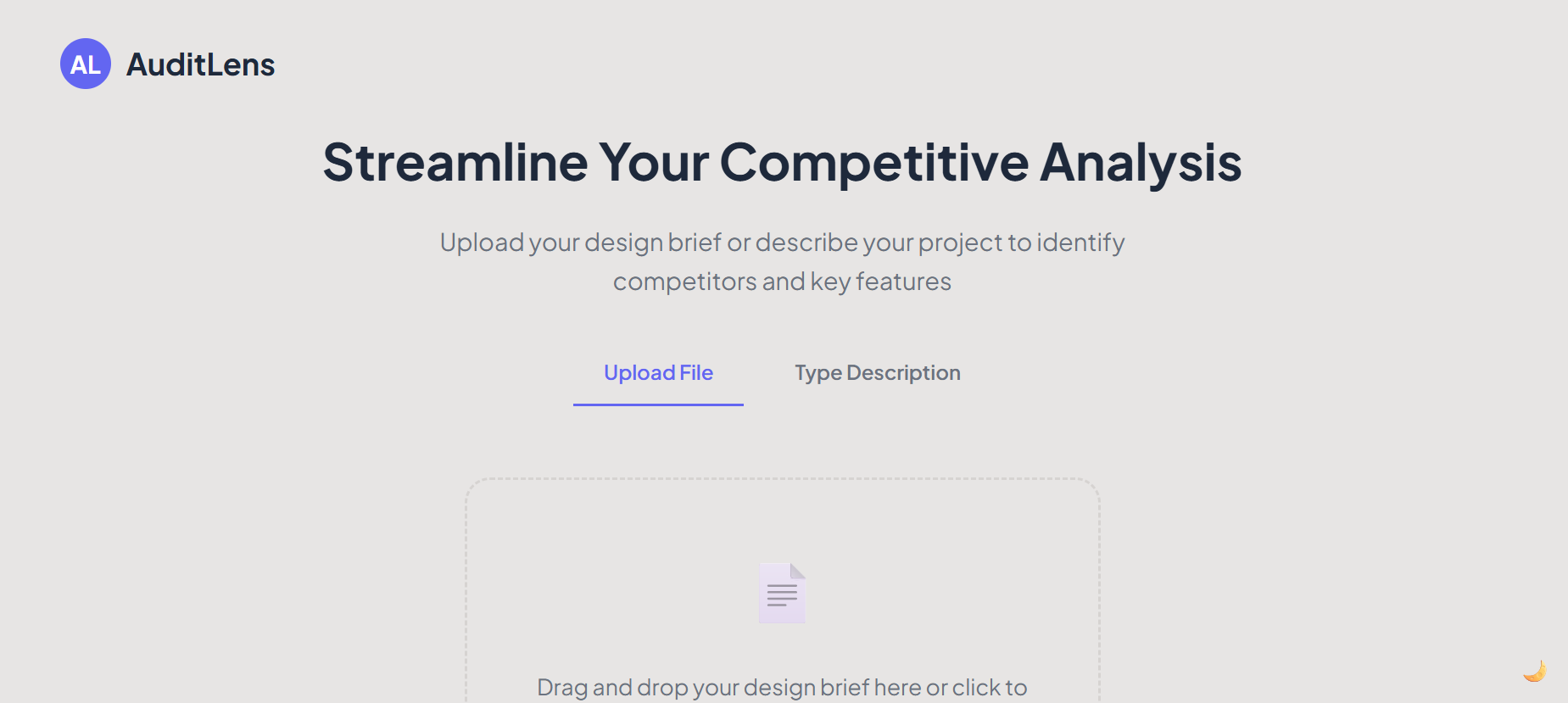
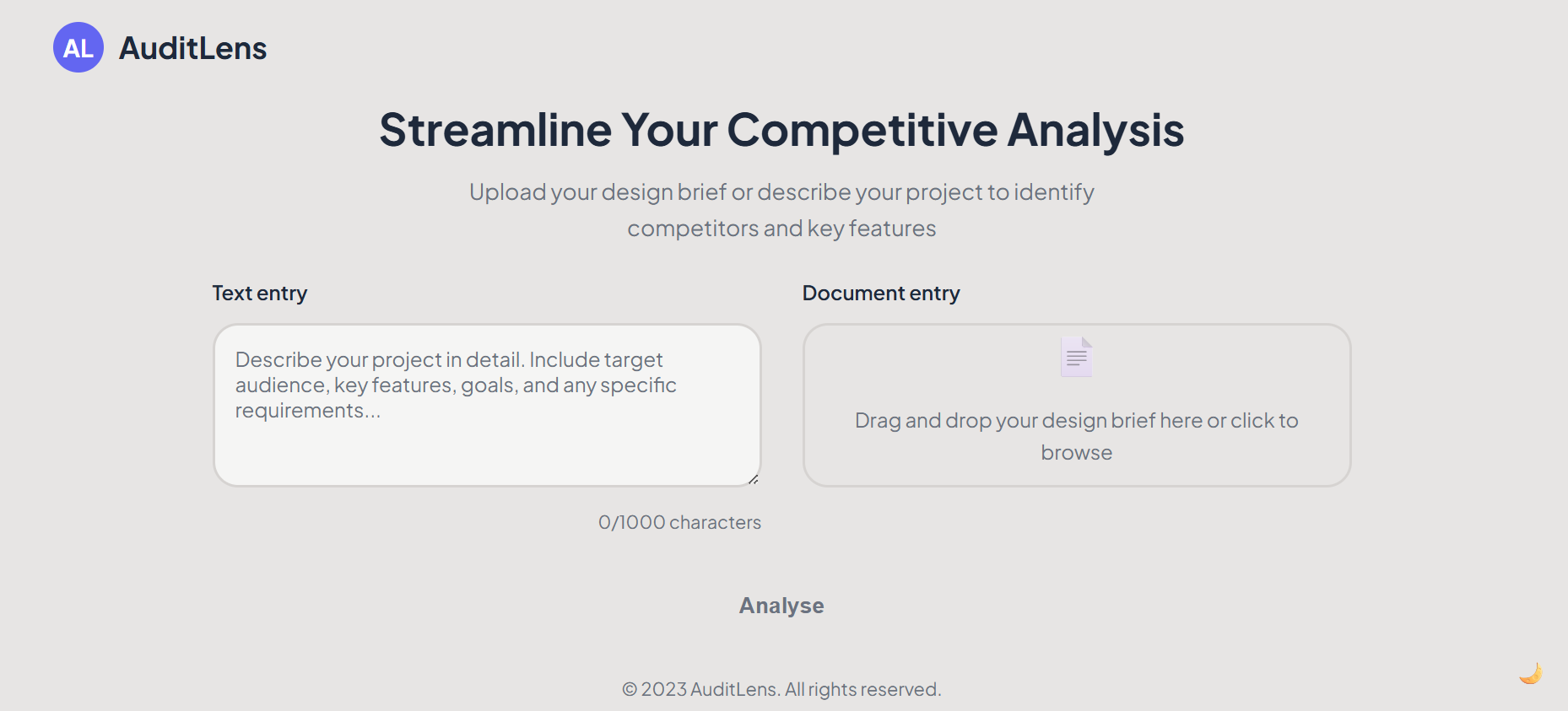
The first iteration featured separate text entry and file upload options. I quickly realised this division created unnecessary friction and confusion, prompting iteration towards a more unified approach.

Entry Development

I combined text and file entry into a single interface, but the analyse button lacked visual prominence without a background. Quick iterations addressed these issues, though more initial design time would reduce such adjustments in future projects.

Button Development

I added button states that activate only when users provide input through text or file upload, preventing submission errors. I also improved the file upload area to clearly show accepted formats and uploaded file status.

Results Iteration

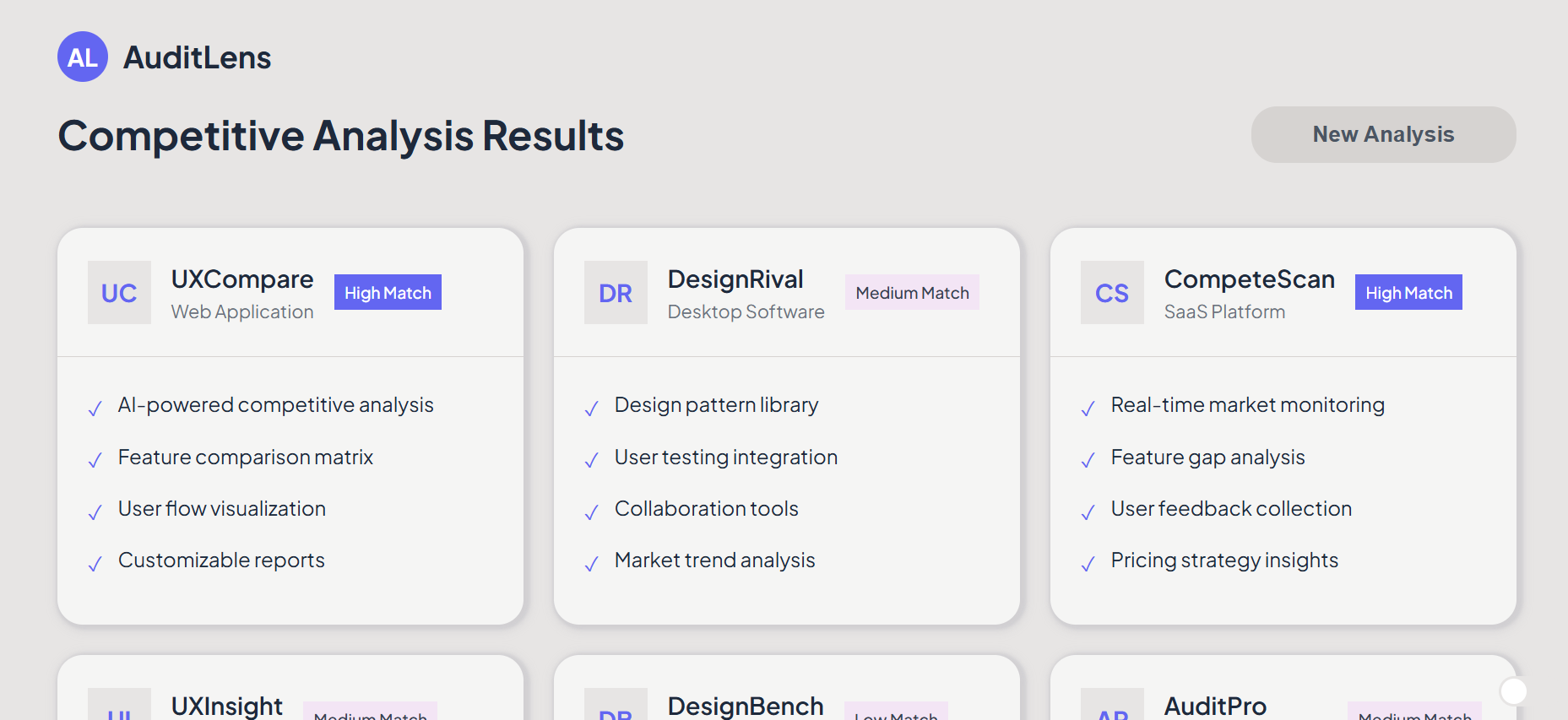
The initial results page used placeholder cards to test the layout structure. The card format worked well but lacked detailed comparison information, making it difficult for users to evaluate competitors effectively against each other.

Results Development

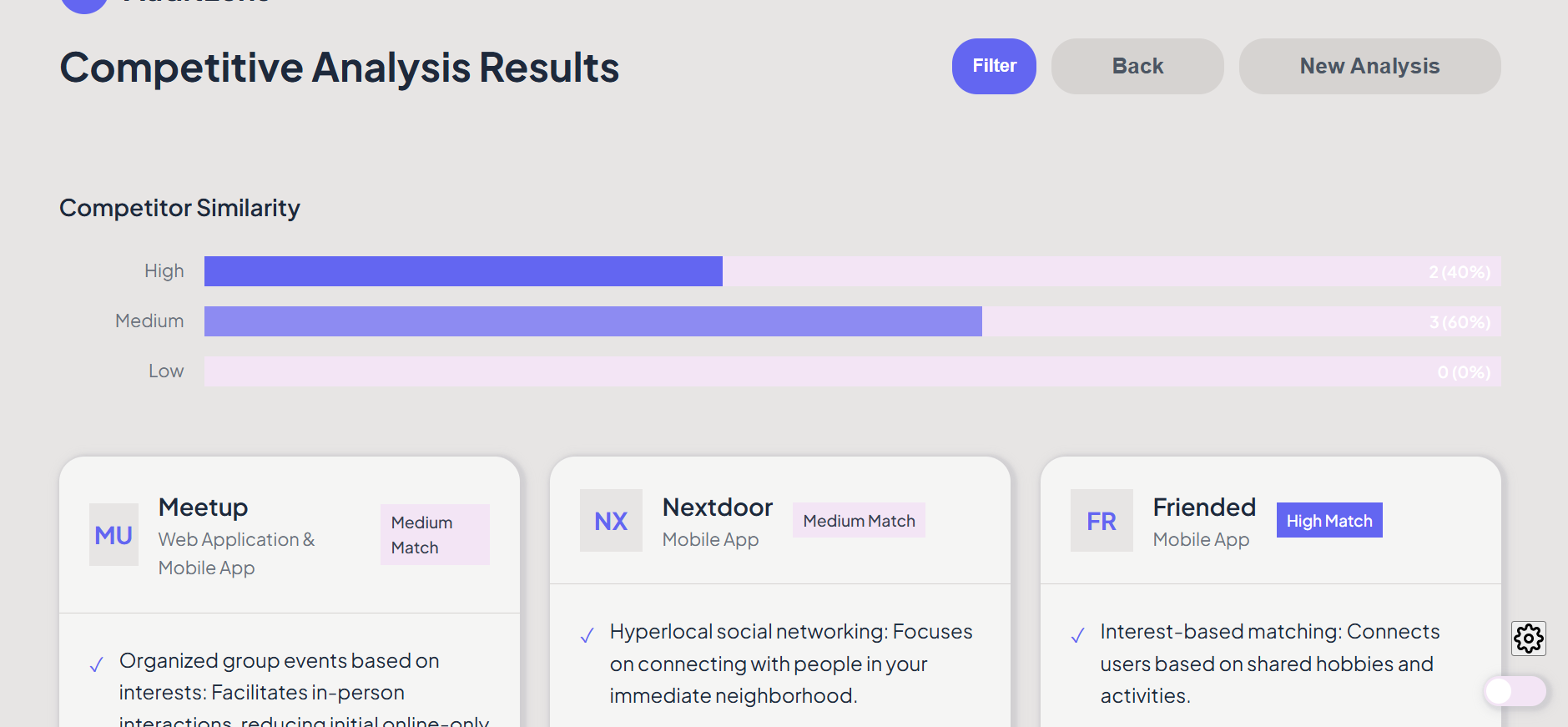
I added navigation buttons for users to edit their prompts, improving error recovery. I tested a comparison chart but didn’t think it was effective as designers prefer detailed competitor information over simplified visualisations that might obscure important nuances.
Analysis & Result

Final Prototype

A New Way of Working

Rapid Changes
I tested significant homepage changes and updated the entire design style with a single prompt to Claude Code. This transformation happened in minutes, demonstrating AI's power for rapid adaptation to different company branding and style requirements.
Reflection

Was This a Successful Approach?

Future Development

I would conduct user testing to refine the tool and add features like automated wireframe generation or design analysis with key insights. By highlighting problem areas from user reviews, the tool could guide designers to specific improvement opportunities.

Potential Impact

Conservative estimates suggest 80% time savings on competitive research. This efficiency gain would free designers to spend significantly more time on actual design work, user testing, and creative problem-solving rather than manual analysis tasks.

Workflow Reflection

Using AI as a team member transformed my design process. I could instantly test new ideas on working prototypes, making iteration seamless. This approach produces more realistic prototypes that generate better user feedback and more actionable insights for designers.

Future Tool Ideas

Research synthesis tools could automatically analyse user testing notes and highlight key insights, allowing teams to focus on implementing what users actually want rather than manually sorting through data and feedback.

You might also like...